 🡅 Version 2.10 (and newer) 🡅 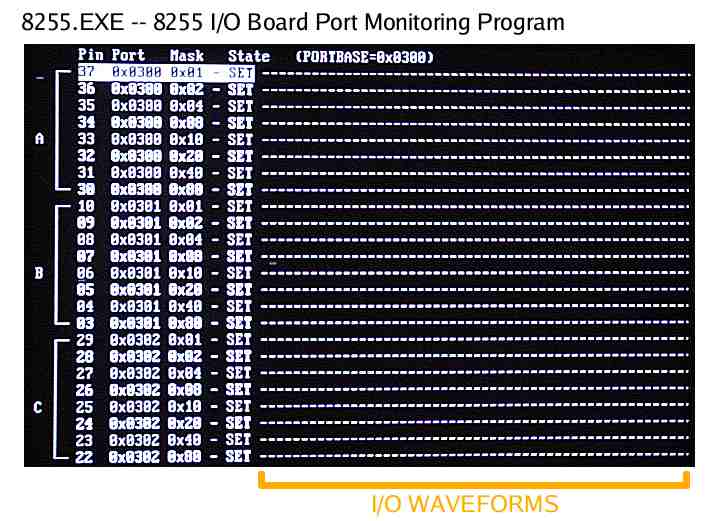 🡅 Version 2.00 (and older) 🡅
|

🡅 Version 2.10 (and newer) 🡅 🡅 Version 2.00 (and older) 🡅
|
This program will let you monitor and control an 8255-based digital I/O board on the IBM PC from MS-DOS. Examples of such boards are a CIO-DIO24 or CIO-DIO48, which are ISA cards that plug into the IBM PC and can be programmed and controlled via I/O ports from software.
This program makes it easy to read and display the state of all the digital I/O bits like an oscilloscope + logic probe. The newer 2.10 version also lets you toggle any bits programmed for output.
To run this program, just invoke '8255' from the DOS prompt. Supply the base port number in hex on the command line, e.g. "8255.exe 0300" to monitor ports 0300 thru 0302, or "8255.exe 0310" to monitor ports 0310 thru 0312, etc.
This program monitors the three 8255 ports based on the base address; Port A is (base+0), B is (base+1), C is (base+2).
The 8255's Control Register is (base+3), and determines if ports are configured as inputs or outputs. See the 8255 data sheets for more info, or 'man 8255' in the OPCS documentation.
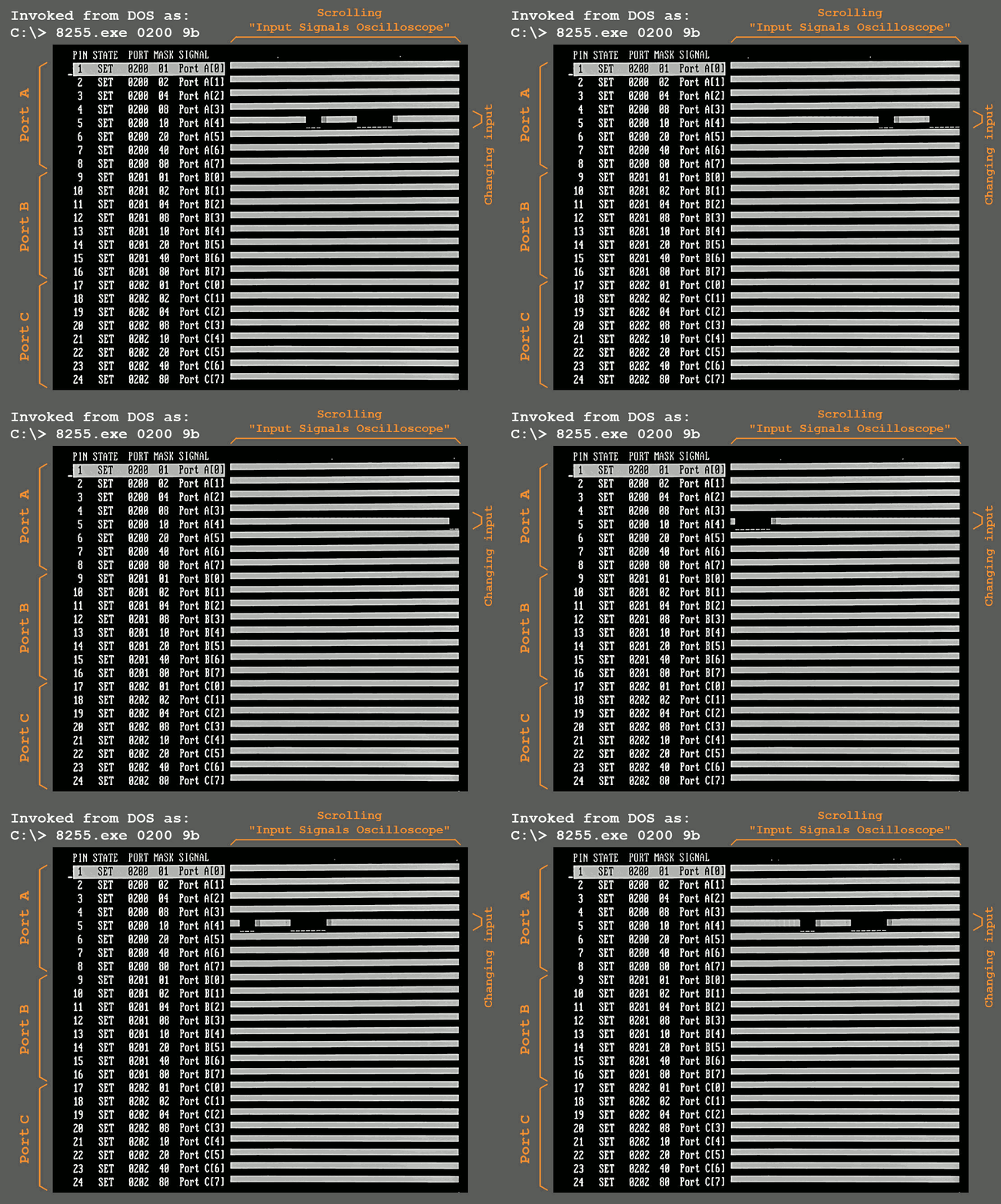
The 'State' column shows the real time input state of the bits on the three ports. A scrolling 'oscilloscope' readout to the right (the dashed lines) shows the last second or so of samples.
You can use the up/down arrow keys to move the inverse "cursor" (the white block) to focus on a particular signal:
Hit any key to exit this program.
The 8255.exe program should be part of your OPCS installation. If it's not, you can download it from http://seriss.com/opcs/ftp/.
Inputs show the state as either "SET" or "clr" and show a "scrolling oscilloscope" to see changes clearly, just like the old version.
The new version also supports playing a 3KHz tone on the speaker if an input the cursor is on is "SET", and off if "clr", useful if the person servicing the machine can't see the monitor while changing the input state (for instance, adjusting the home sensor for the aerial camera behind the optical printer). The tone can be disabled by using the "-q" (quiet) command line option.
And outputs can be changed by using the UP/DOWN arrow keeys to move the inverted "cursor" over the output to change, and hitting ENTER to toggle the output state.
By default the 8255 program tries to read the Control Register to determine which ports are input and which are output. For 8255 cards that don't support reading the Control Register (some chips do not support this), you can optionally specify the Control Register value to use after the base address, e.g. "8255.exe 0300 9b" to use a value of '9b'.
To monitor and control outputs, you had to use e.g. the DOS "debug" program, e.g. "o 310 ff" to send "ff" to port 310 hex. Or via the home program's setbit/clrbit commands.
This older version also only supported one command line argument, a hex base address.
| © Copyright 1997, Greg Ercolano. All rights reserved. To report documentation errors, send email to |

|