Desktop Nixie Clock -- Version 1.64 (Windows/Linux/MacOS)

Default mode

Digit mode ('nixieclock -d')
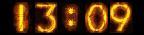
Hour mode ('nixieclock -h')
In v1.61 there was a fix to prevent using excessive CPU.
If you were seeing some high cpu use from nixieclock (eg. around 2% or so) in older releases,
be sure to upgrade to 1.61 or higher to get the fix.
NOTE: This project is now being managed on github at https://github.com/erco77/nixieclock/
Description
This simple little desktop clock displays the current date and time
in a 'nixie tube' styled display in various time formats that you
can customize. (For those of you into old 1960's vacuum tube display technology)
This started as just a fun little excercise, but I found it was actually a useful
program that I've been using as my own desktop clock since the early 2000's.
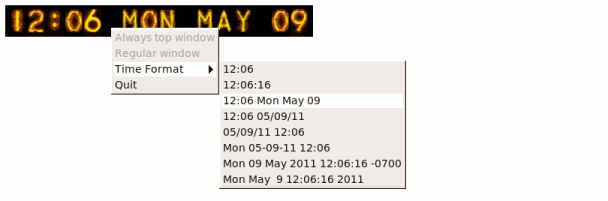
New in 1.60: right-click popup menu
Source Code
You can download the latest 1.64 source code
to compile it yourself. Binaries are included with the tarball for the supported
platforms (Mac/Linux/Windows/Irix). To compile the source, you'll need the
fltk 1.1.x or fltk 1.3.x library installed.
For more info on building the code, see the README.txt file in the tar file.
Download
You can download pre-compiled executables for your operating system here:
Current Release
v1.64 |
Old Release
v1.61 |
Really Old
v1.51 |
nixieclock.exe (Windows)
NT/2K/XP/Vista/Win7/Win10
|
Windows
NT/2K/XP/Vista/Win7/Win10
|
Windows
NT/2K/XP/Vista/Win7/Win10 |
nixieclock.app (Mac 64bit)
Catalina,Mojave,HighSierra,Sierra,ElCapitan,
Yosemite,Mavericks,MtnLion,Lion.
Mac 32bit Intel/PPC
Tiger,Leopard,Snow Leopard..
Universal Binary for intel/ppc
|
Mac
Tiger,Leopard,Snow Leopard..
Universal Binary for intel/ppc |
Mac
Panther,Tiger,Leopard,Snow Leopard..
Universal Binary for intel/ppc |
nixieclock (Linux 64bit)
Centos 5.5, Ubuntu, etc.
|
Linux 64bit
Centos 5.5, etc. |
|
nixieclock (Linux 32bit)
Fedora3 and up, etc.
|
Linux 32bit
Fedora3 and up, etc. |
Linux 32bit
Redhat 32bit 6.x/7.x/8.x/9.x |
nixieclock (Irix 6.x)
|
|
Irix 6.x |
|
|
Linux 64bit
Ubuntu 7.x, Fedora8 |
|
|
Old Mac
old "PPC only" binary |
Or, you can download the 1.64 source code and build it
yourself, but most people just use the pre-compiled binaries.
Features (1.60 and up)
The -c flag has been restored in 1.64. (Beer-O'clock countdown).
(It had regressed at some point when it was originally added in 2003, not sure why)
A right-click popup menu was added to let you choose different time formats interactively.
Nixieclock now remembers where you last positioned it on the desktop.
It also remembers which time format you last specified, and various other
preferences, which are saved in ~/.nixieclock. This way if you close and reopen
the clock, it re-opens with the last position and settings. This way you can invoke
the clock without any arguments (eg. from a shortcut), and the default will be the
'last' settings used.
There was also a signficant code cleanup in this release; the clock was broken out
into a separate class, and bracing style now follows the FLTK coding style consistently.
For more info on changes in this release, see the release notes.
How To Use
To move the clock, just click and drag it to where you want it.
To kill it, click the clock (to select the window) and hit the ESC key.
To view the available command line options, use 'nixieclock -help'.
The clock has a right-click menu to choose common clock + date display options.
The program supports several command line arguments that can be used
to alter the clock's behavior. You can set just about any custom time format
using strftime(2) to specify your favorite. This can include full day and month names,
timezone info, etc. For instance, 'nixieclock -s "%A %B %d, %Y"' will yield:

You can run 'nixieclock -help' from the
command line to see the list. As of version 1.64 the command arguments are:
Nixieclock -- Version 1.64
(C) Copyright Greg Ercolano 2000, 2009. (GPL V2 LICENSE)
This program uses FLTK, a GUI library available from fltk.org

USAGE
    nixieclock [options]

OPTIONS
    -m              # month oriented date (default, eg. 07:57 Sat Feb 07)
    -d              # digit date mode (eg. 07:57 07-30-01)
    -D              # digit date mode (eg. 07:57 07-30-2001)
    -s <timestr>    # use strftime(3) date format
    -t              # test pattern for alphanumeric display
    -n              # no background mode (don't fork)
    -geometry <pos> # sets geometry (x windows style positions)
    -c <epochtime>  # counts down to epochtime
    -N              # no save: disables saving the current settings to ~/.nixieclock
    -a              # above all windows (not supported on all platforms)
    -b              # enable window borders
    -nb             # disable window borders (default)
    -v              # enables verbose mode/debugging
    -h              # help

FILES
    Previous settings are saved in ~/.nixieclock

EXAMPLES
    nixieclock                               -- (uses last set date format. Default: -m)
    nixieclock -m                            -- 07:57 SAT FEB 07 (default)
    nixieclock -d                            -- 07:57 07-30-01
    nixieclock -s %c                         -- Locale specific: MON JAN 01 23:59:59 2000
    nixieclock -s "%I:%M %p %m/%d/%y"        -- 12:59 PM 12/31/00
    nixieclock -s "%H:%M:%S"                 -- 23:59:59 (counts seconds)
    nixieclock -s "%H:%M:%S %a %b %d"        -- 23:59:59 SAT DEC 31
    nixieclock -s "%a %b %m %H:%M:%S %Y"     -- Unix format; MON JAN 01 23:59:59 2000
    nixieclock -s "%a %b %m %H:%M:%S %Y %Z"  -- Above + timezone; MON JAN 01 23:59:59 2000 PDT
    nixieclock -geometry -0-0                 -- position lower right
    nixieclock -geometry -5-5                 -- position 5 pixels lower right
    nixieclock -geometry +0-0                 -- position lower left
    nixieclock -N -c `perl -e 'print time()+3600;'` -s "BEER: %H:%M:%S"
                                              -- 'beer o'clock' countdown timer
                                                  Sets 'countdown timer' to 1hr from now
                                                  (3600 secs=1hr)
|
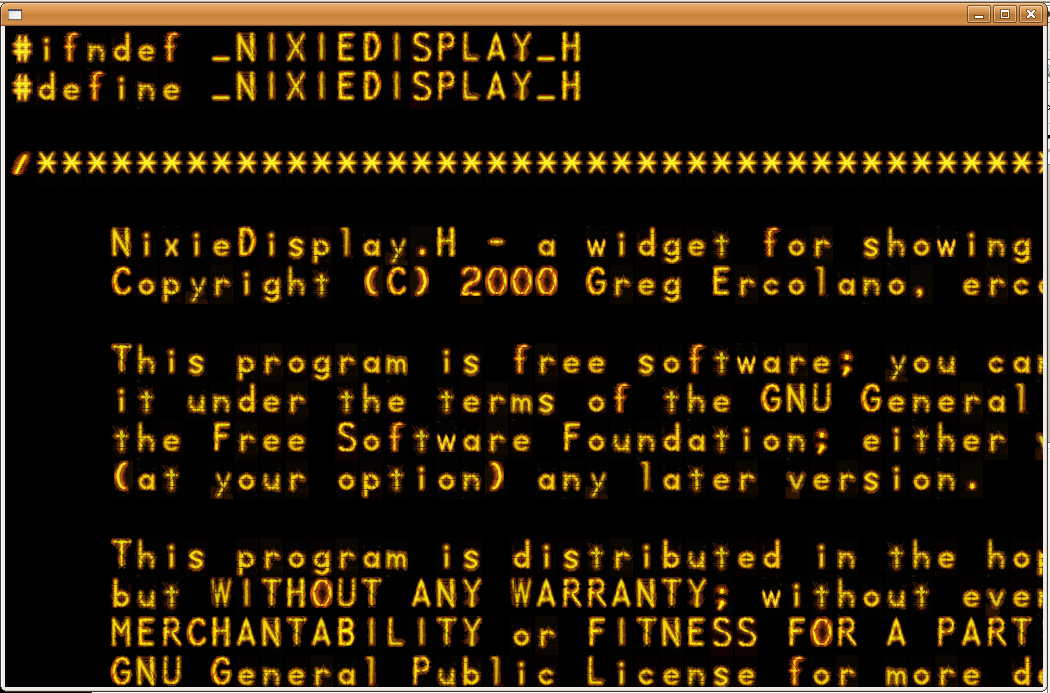
Nixie Text Viewer Demo
The code comes with a little demo called 'nixie-text-viewer' which
will load up a text file and display it in the nixie font. You can
page through the file with the arrow keys.
This test app demonstrates how the NixieDisplay FLTK widget can be
used for other things besides a clock, and demonstrates how the
widget's font supports (most of) the ascii character set, including
lower case.
By default the app loads one of the clock's header files as a demo (pictured below):
FAQ
1) How do I make the nixieclock show up on top of all other windows?
Currently only Windows supports this 'always on top' feature.
(New in 1.60):
The new right-click menu for the clock lets you choose 'Always on top'.
Once selected, it will be automatically be remembered for subsequent
invocations of the clock.
For older releases, you'd need to invoke nixieclock with the '-a'
flag. To make this work from your desktop, create a shortcut
to nixieclock on your desktop, then configure the shortcut to include
the -a flag. So for instance, after creating a shortcut on your
desktop to nixieclock:
            1) Right click on the shortcut, choose Properties.

            2) In the "Target" field, add the "-a" flag at the end
               of the line. So in other words:

                BEFORE:  Target: "c:\some\path\nixieclock.exe"
                 AFTER:  Target: "c:\some\path\nixieclock.exe" -a

               Note you need a space before the -a flag.
2) Are the tar files for the older releases still available?
Yes, here's links to all the tar file releases to date, from
oldest to newest:
Back to my home page.
You can send me mail.